 Español
 English
 Català
 Français
Cloud VPS
with reserved RAM.
Virtual servers on our own cluster, with storage replicated across nodes. Root from the first minute, and creating them, opening the console and restoring a backup all happen in the same panel.
Monthly billing · No lock-in · Mandatory IPv4, 1.50 €/month extra
- From order to console
- minutes
- Replicated storage
- NVMe
- Full access
- root
From a test environment to production
Ten sizes, from 1 vCPU and 2 GB to 48 vCPU and 192 GB. All of them with root and snapshots, and with a mandatory dedicated IPv4 at 1.50 €/month that the prices below already include.
vCPUs and RAM reserved for your machine
The size decides how many vCPUs and how much RAM your machine has, and that RAM is reserved for it.
| Plan | vCPU | RAM | NVMe | Traffic | Delivery | Price | Action |
|---|---|---|---|---|---|---|---|
| gp.nano | 1 | 2 GB | 40 GB | 3 TB | In minutes | 6.50 €/mo5 € + 1.50 € IPv4 | Deploy |
| gp.micro | 2 | 4 GB | 80 GB | 5 TB | In minutes | 10.50 €/mo9 € + 1.50 € IPv4 | Deploy |
| gp.starter | 4 | 8 GB | 100 GB | 10 TB | In minutes | 17.50 €/mo16 € + 1.50 € IPv4 | Deploy |
| gp.small | 8 | 16 GB | 200 GB | 20 TB | In minutes | 30.50 €/mo29 € + 1.50 € IPv4 | Deploy |
| gp.medium | 12 | 32 GB | 300 GB | 40 TB | In minutes | 55.50 €/mo54 € + 1.50 € IPv4 | Deploy |
| gp.pro | 16 | 48 GB | 350 GB | 60 TB | In minutes | 78.50 €/mo77 € + 1.50 € IPv4 | Deploy |
| gp.large | 24 | 64 GB | 400 GB | 80 TB | In minutes | 99.50 €/mo98 € + 1.50 € IPv4 | Deploy |
| gp.xlarge | 32 | 96 GB | 500 GB | 120 TB | In minutes | 125.50 €/mo124 € + 1.50 € IPv4 | Deploy |
| gp.xxlarge | 40 | 128 GB | 800 GB | 160 TB | In minutes | 154.50 €/mo153 € + 1.50 € IPv4 | Deploy |
| gp.xxxlarge | 48 | 192 GB | 1,000 GB | 200 TB | In minutes | 206.50 €/mo205 € + 1.50 € IPv4 | Deploy |
gp.xlarge
- vCPU
- 32
- RAM
- 96 GB
- NVMe
- 500 GB
- Traffic
- 120 TB
- Delivery
- In minutes
gp.xxlarge
- vCPU
- 40
- RAM
- 128 GB
- NVMe
- 800 GB
- Traffic
- 160 TB
- Delivery
- In minutes
gp.xxxlarge
- vCPU
- 48
- RAM
- 192 GB
- NVMe
- 1,000 GB
- Traffic
- 200 TB
- Delivery
- In minutes
Every VPS comes with a dedicated public IPv4. It is mandatory and billed separately, at 1.50 €/month. The prices in this table already include it: that is what you will see at checkout. The yearly discount applies to the machine, not to the IPv4.
The sizes marked “in minutes” are created by the panel on its own. Those marked “on request” are confirmed by the team before anything is charged: write to us and we will tell you the lead time. You pay by the month or by the year, with 20 % off when you take the year. · Final price: VAT not applicable. Billed in euros.
Included in all ten sizes
- NVMe storage on every size
- Always-on anti-DDoS protection
- Snapshots whenever you want
- Console and boot from minute one
- A single panel, with root
- REST API to automate it
- Monthly or yearly, 20 % off on the year
Your VPS, with root access
The RAM is reserved for your machine. NVMe storage and 3 TB of traffic on the smallest size. The dedicated IPv4 always comes with it, and is billed separately at 1.50 €/month.
Full root access
Root from the first boot. The kernel, the packages and the mount points are yours to decide.
- root
- sudo
noVNC web console
A console on the machine from the panel, with keyboard and screen, even when the firewall or the network has left it without SSH.
- noVNC
- SSH
Snapshots
Capture the state of the disk before touching production and restore in seconds.
- snapshots
- restore
Grow without rebuilding
Adding vCPU, RAM or disk does not mean reinstalling: it is the same machine, with its data and its IP. You do it yourself from the panel, paying only the difference, and it is applied automatically. Disk only grows.
- CPU
- RAM
- NVMe
A backup every night, off the server
An automatic backup every night, kept outside your VPS. From the panel you restore the whole machine, or go inside one and pull out just the files you are missing.
- backups
- restore
Ready images and apps
Debian, Ubuntu LTS, Rocky and AlmaLinux from templates, plus server applications —Coolify, n8n, Nextcloud, Grafana— that deploy themselves onto the machine.
- Debian
- Ubuntu LTS
- Rocky
API & MCP
Manage your VPS from your AI assistant
Connect an MCP-compatible client to check your machines, start, stop or restart them with the right permissions, and prepare a request for another VPS. You review and confirm any purchase in your control panel.
The machine is created, watched and rescued from here
There is no separate admin console and no second place to check things. Everything below is a screenshot of the panel exactly as it stands today.


Create a machine, and see them all
The «Create VPS» button asks for a name, a size and a system, and a few minutes later the machine is up with its IPv4. The list shows how much CPU and memory each one is using right now, and you start, restart or open a console without opening any detail page.
Know what it is doing, without installing anything inside
Each machine shows its usage right now and CPU, memory and network graphs by hour, day, week and month. No agent goes inside the VPS: the reading comes from outside, so it still works when the machine is in trouble.
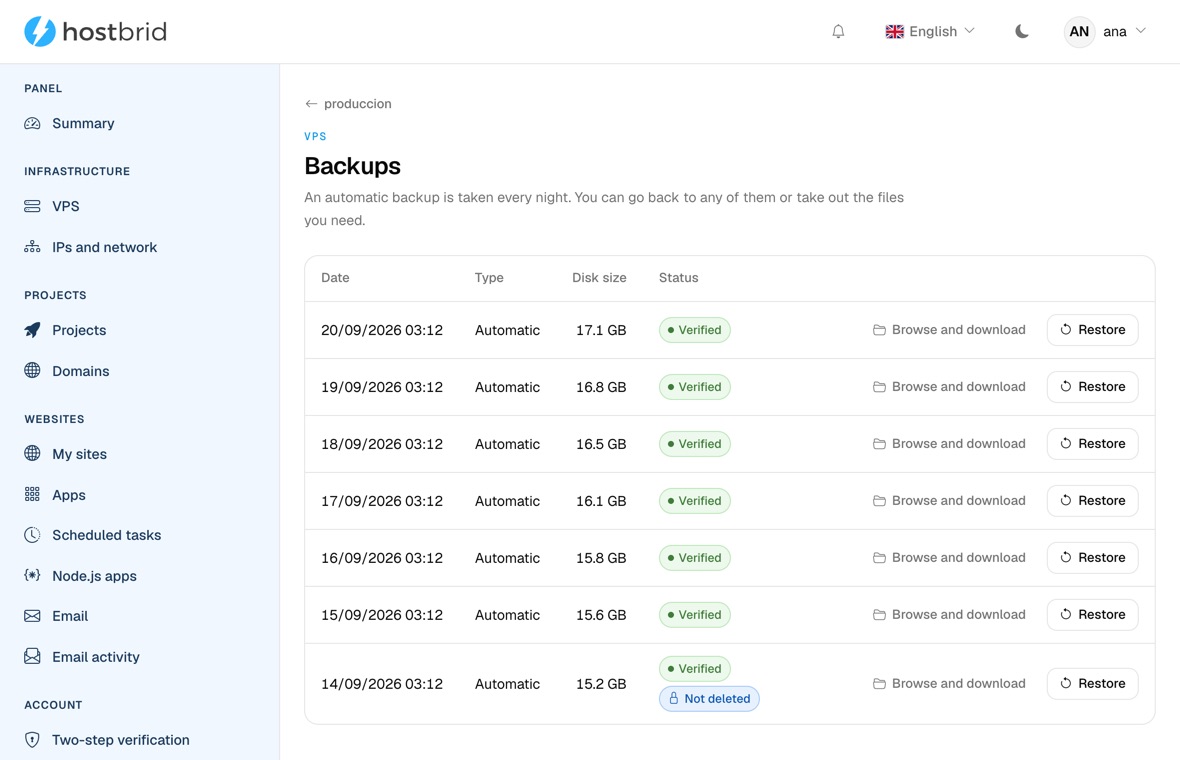
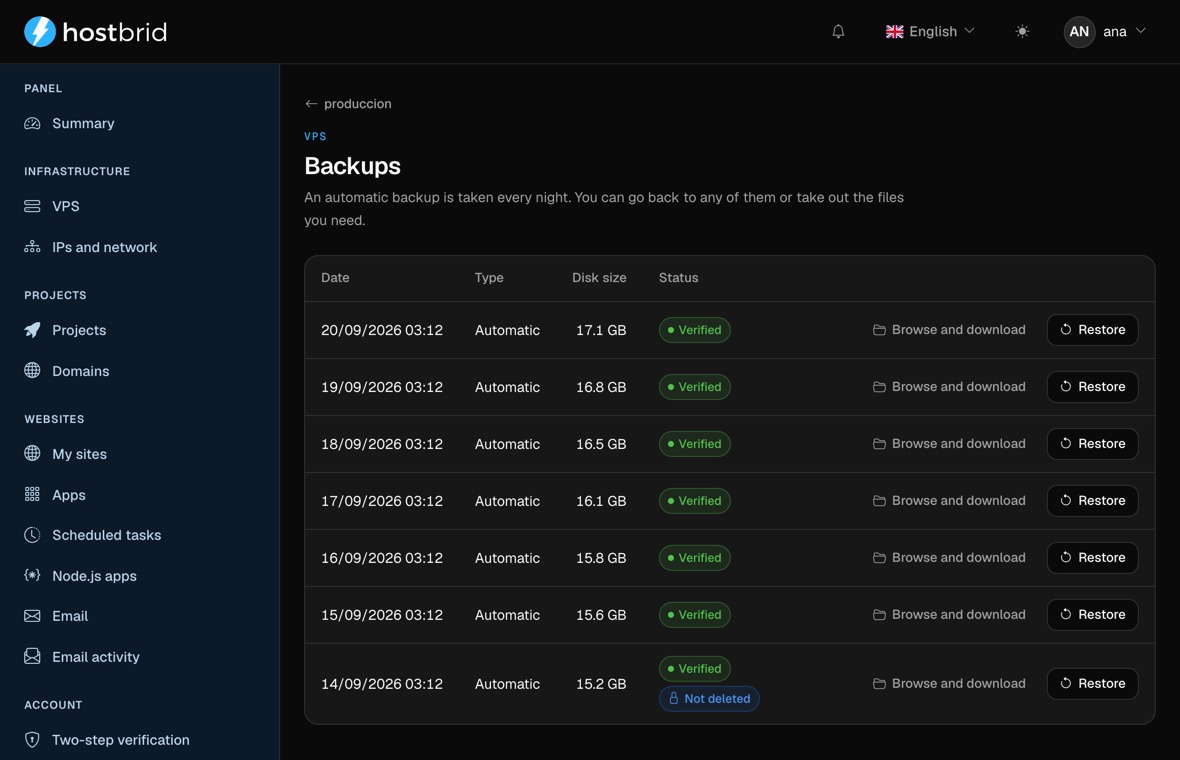
A backup every night, and you restore it yourself
Seven nights kept off the server, with their date, their size and a «Verified» mark. «Restore» takes the whole machine back to that night; «Browse and download» goes inside the backup for just the one file you are missing, without touching what is running.
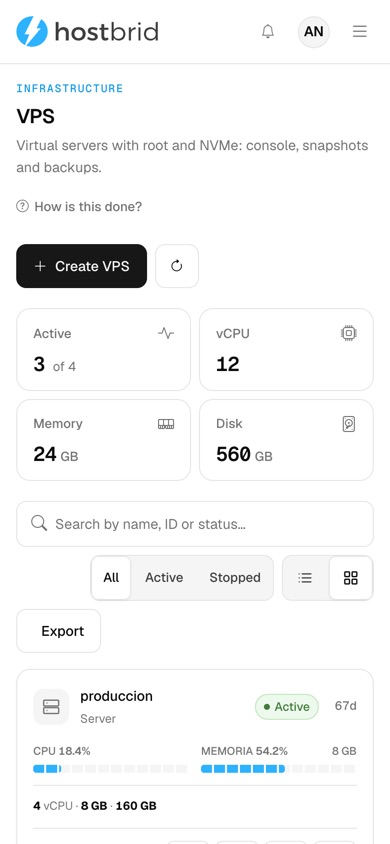
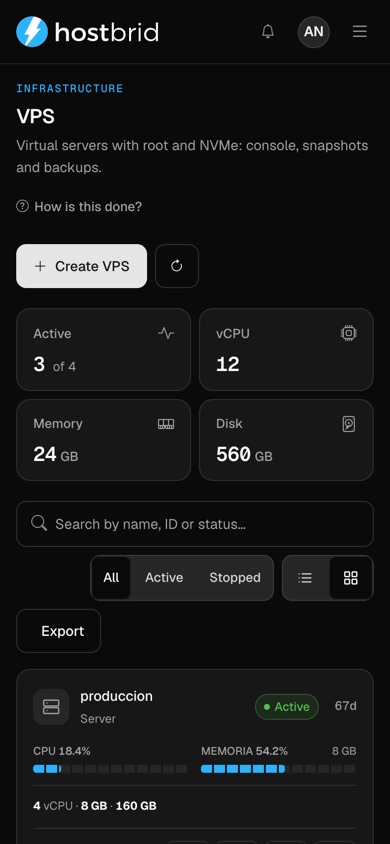
And the same thing from a phone
The panel is not a shrunken desktop: on a phone the machines stack up with their usage and their buttons. Restarting the server from a train is what actually happens on a Sunday.
Run your application with the control you need
A VPS gives you a Linux machine with root. Decide who will install, update, secure and monitor the software before ordering.
Run Docker, an API or a bot
If this sounds familiar: You need a process to stay online and file hosting is not enough.
What you get: Size from measured load and plan ports, domain, HTTPS, logs and backups before moving production.
Deploy Docker Compose on a VPSAvoid overspending or running short
If this sounds familiar: You do not know how much RAM or CPU the app needs.
What you get: Measure test usage, include the operating system and database, and allow room for peaks.
Size a Docker appDecide whether to run the server yourself
If this sounds familiar: You want to publish a site but are unsure whether you need root.
What you get: Compare Sites or Projects if you do not want to maintain Linux; a VPS means managing its OS and app.
Compare VPS and web hosting
Our own infrastructure in Spain
We run the cluster in a datacenter in Spain, with storage replicated across nodes. There is no resold third-party capacity underneath.
Talk to sales- Our own cluster in high availability: if a node dies, your machine starts on another
- Storage replicated across nodes: a failed disk does not take your VPS down
- VLAN-segmented network, with yours isolated from the rest
- Live migration between nodes: hardware maintenance does not stop the machine
Configure the machine piece by piece
Four sliders: vCores, RAM, NVMe disk and a second capacity disk. It is the same machine as in the table and at the same price: land on a size and you pay that size. In between two sizes, each resource is charged for its share.
Virtual cores for your machine: the size decides how many.
Dedicated memory, from 512 MB to 64 GB.
The system disk, on replicated storage.
Capacity storage for backups, media or archives. Optional.
Applications for your VPS
30 applicationsChoose software and the machine to run it. Prices include the recommended VPS and its IPv4; “Ask us” applications need review before ordering.
Bookstack
gp.micro
10.50 €/moOrder BookstackAnnual total paid upfront: 104.40 €
Mautic
gp.micro
10.50 €/moOrder MauticAnnual total paid upfront: 104.40 €
Coolify
gp.starter
17.50 €/moOrder CoolifyAnnual total paid upfront: 171.60 €
EasyPanel
gp.starter
17.50 €/moOrder EasyPanelAnnual total paid upfront: 171.60 €
DokPloy
gp.starter
17.50 €/moOrder DokPloyAnnual total paid upfront: 171.60 €
Portainer
gp.small
30.50 €/moOrder PortainerAnnual total paid upfront: 296.40 €
Your total is confirmed before payment. Final price: VAT not applicable. Billed in euros.
View all applicationsGuides to choose and use a VPS
Estimate resources and see how to deploy an application on your server.
How to size a VPS for a Docker app: measure before you choose
Estimate RAM, CPU and disk for a Docker app from a representative test, then compare what you measured with the available VPS plans.
How to choose a cheap VPS: check the total cost first
Compare a low-cost VPS by its final price, IPv4, resources, backups and admin work. Hostbrid example checked on 9 October 2026.
Deploy a Docker Compose app on a VPS: private networking, HTTPS and backups
A practical production checklist for running a Docker Compose application on your own VPS, keeping PostgreSQL private and planning updates and recovery.
How to host n8n on a VPS: quick install or Docker Compose
Compare installing n8n from the marketplace with running it yourself on a VPS. Check HTTPS, webhook URLs, persistent data, backups and operations.
VPS vs shared hosting: which should you choose?
Compare root access, maintenance, backups and supported software before choosing managed Sites hosting or a VPS.
Self-host OpenClaw on a VPS: requirements and security
Check OpenClaw's Linux requirements, decide whether a VPS fits, and keep its Gateway private before you choose a server.
One more public IP
Already have a machine and need another IPv4 address? It is bought separately from your panel, choosing which server it goes to: 1.50 €/month or 18.00 €/year if you pay yearly. No annual discount, because the address is billed to us per month in use.
Questions about VPS
Can I configure reverse DNS for my VPS?
Can I install my own OS with an ISO or disk image?
How long are my ISOs and images stored?
Which operating systems can I install?
Is the CPU shared with other machines?
How much does the IPv4 cost?
Do backups live inside the VPS?
Can I make the machine bigger later?
Is VAT added to the price?
Do I have to run the database inside the VPS?
Deploy your first VPS
A few minutes from creating the account to having a console.
What do you want to do with MCP?
Managing your hosting and running your own MCP server are different services. Choose the route you need.
VPS you can manage through MCP
Check your VPS status and IPs and use published tools for networking, backups and lifecycle operations. Permissions and approvals apply to every action.
Explore this routeHost your own MCP server
Run your application’s MCP server on a self-managed VPS with a persistent process, HTTPS and authentication. You choose the runtime and maintain the service.
Explore this route