 Español
 English
 Català
 Français
Let your AI
run your sites and servers.
Connect Claude —or whichever MCP client you use— to your account and ask for what you would do yourself: see which sites you have, create one with its database, adjust PHP or line up a domain renewal. With rails: anything that costs money you confirm in your own panel, and to delete something it has to show you first what will be lost.
Read-only by default · No extra cost · Nothing to install
- tools
- 24
- charges without your confirmation
- 0
- steps to delete
- 2
You create the key, and you revoke it
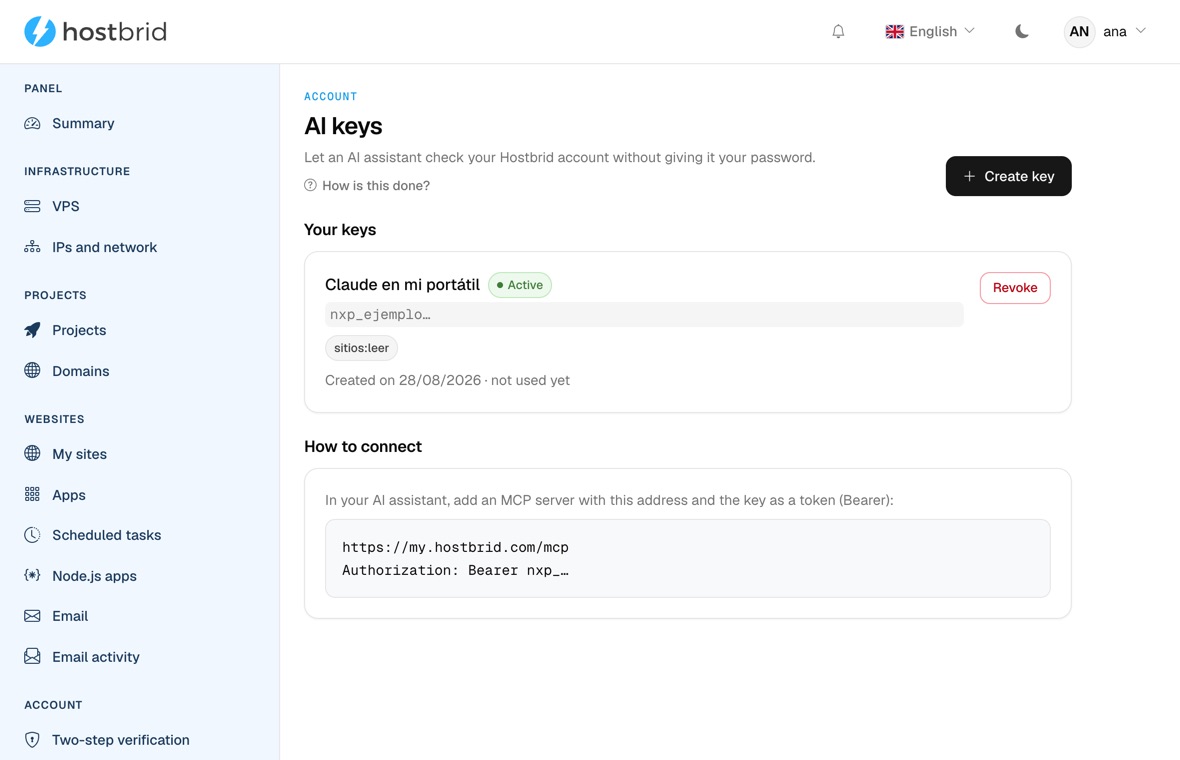
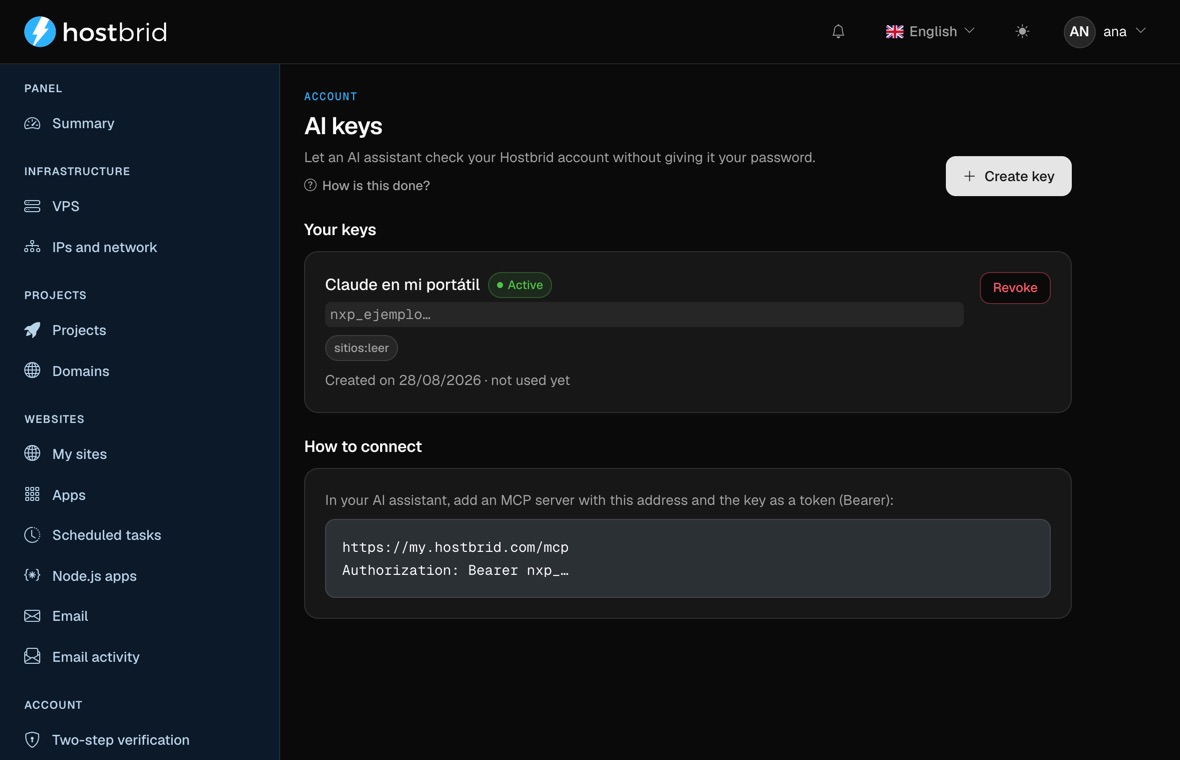
Not a mockup: this is the panel, on a sample account. This is where the key that connects the assistant comes from, with its permission written next to it.
In your words, not ours
There are no commands to learn. Your AI picks the tool and works with the data in your account, not with what it imagines.
Which sites do I have hosted, and which ones have no SSL?
Create shop.example.com with PHP 8.3 and its database.
Raise the PHP memory on the shop, it keeps running out.
Add the DNS record my mail provider is asking for.
What would it cost to renew example.com? Line it up for me.
Delete the test site — but first tell me what I am about to lose.
Not everything undoes the same way
The border between one level and the next is not how scary it feels: it is whether there is a way back. One site too many can be deleted. A domain you bought cannot be returned. Neither can a deleted mailbox.
- 01
Look
Your sites, your domains, the names and users of your databases, how much plan you have left and how your machines are doing.
It is the only thing the self-service screen offers: a key you create yourself can only look.
- sitios:leer
- maquinas:leer
- 02
Do
Create a site, a database, a mailbox or a DNS record, and change the PHP version and settings.
It just happens, because all of this has a way back and costs nothing. Every change is recorded with its key and its timestamp.
- sitios:escribir
- 03
Line the order up
Buy or renew a domain, change plan and order a VPS: it tells you whether it can be done and what it costs.
None of the four charges anything. They return the order with its amount and the link in your panel where you confirm it, with your session and your card.
- facturacion:pedir
- 04
Delete, in two steps
A site, a database, a mailbox, or cancelling the whole plan. Never in a single call.
First it tells you specifically what will be lost —name, how many files and when the last backup was— and mints a token that lasts five minutes, works once and is tied to that exact object. Without that token, the second call deletes nothing.
- sitios:borrar
Every key is born in the first level. The other three are asked for.
An agent that gets it wrong does not refund you
That is why this is not “an API with permissions”. Everything the AI can do sits in a level, and every level has its rail: what is reversible just happens; what costs money you confirm; what destroys goes in two steps.
A new key only looks
The panel screen offers read permissions and nothing else. Writing or deleting has to be asked for, and we grant it by hand, account by account.
- sólo lectura
Creating and deleting are separate permissions
You can let your agent create things without letting it destroy them. One site too many can be deleted; the site that was not the one cannot be brought back.
- sitios:escribir
- sitios:borrar
Nothing goes through the till
Anything that costs money is left prepared, with its amount and a link to your panel. You confirm the payment, with your session and your card.
- facturacion:pedir
The AI cannot make up the confirmation
The delete token is only minted by showing you first what will be lost. It lasts five minutes, works once, and only for that object.
- 5 min
- un solo uso
Every change leaves a line
Which tool, with which key, when, and on what. The record cannot be forgotten because it is not written by hand: it wraps the tool.
- auditoría
A retry does not duplicate your site
If your MCP client times out and repeats the call, you do not end up with two. A unique database index holds that, not an “if it already exists”.
- idempotencia
Three steps and one header
Nothing to install on your machine, no port to open, no process to keep running. It is an address and a key.
- 1Create it in your panelUnder “AI keys”, you pick what it can see and give it a name. The key is shown once only, so copy it right then; if you lose it, revoke it and create another.
- 2Paste it into your clientThe server address and the key in the «Authorization» header. It works in Claude desktop, in Claude Code and in any agent that speaks MCP over HTTP.
- 3Ask for what you needYour AI only sees the tools your key opens. The ones you did not grant never even show up in its list.
{
  "mcpServers": {
    "hostbrid": {
      "type": "http",
      "url": "https://my.hostbrid.com/mcp",
      "headers": {
        "Authorization": "Bearer nxp_your_key"
      }
    }
  }
}
The key starts with nxp_ and travels in the header, never in the address: whatever goes in the URL ends up in the server logs.
All 24, one by one
This is all of it. There is none hiding behind a permission: the list is this, and it ends here.
Look
sitios:leermaquinas:leerhostbrid_listar_sitiosThe sites in the account: domain, IP address, whether they have SSL and whether they are active.
hostbrid_ver_sitioThe detail of one specific site, from its identifier.
hostbrid_listar_dominiosThe domains in the account, and which ones have their DNS managed at Hostbrid.
hostbrid_listar_bases_de_datosThe name and the user of each database. The password does not come out of here.
hostbrid_ver_planPlan usage and limits: sites, databases, domains, mailboxes and disk.
hostbrid_estado_maquinasThe virtual machines: up or down, resources and IP address.
Do
sitios:escribirhostbrid_crear_sitioProvisions a website with its domain, its SSL and its DNS zone.
hostbrid_crear_base_de_datosCreates a database with its user, within the plan quota.
hostbrid_crear_buzonCreates a mailbox on one of your domains.
hostbrid_crear_registro_dnsAdds a record to a DNS zone you manage here.
hostbrid_cambiar_version_phpChanges a site’s PHP version.
hostbrid_cambiar_ajustes_phpAdjusts a site’s PHP values, such as memory or upload size.
Line the order up
facturacion:pedirhostbrid_pedir_compra_de_dominioChecks whether a domain is free, says the price and prepares the purchase.
hostbrid_pedir_renovacion_de_dominioPrepares the renewal of one of your domains, with its price and its years.
hostbrid_pedir_cambio_de_planPrepares a change to another plan and states the price difference.
hostbrid_pedir_vpsPrepares a VPS order at the size you ask for.
Delete, in two steps
sitios:borrarhostbrid_ver_lo_que_pierdo_al_borrar_un_sitiohostbrid_borrar_sitioA website, with its files. First it tells you how many there are and when they were last backed up.
hostbrid_ver_lo_que_pierdo_al_borrar_una_base_de_datoshostbrid_borrar_base_de_datosA database, with everything inside it.
hostbrid_ver_lo_que_pierdo_al_borrar_un_buzonhostbrid_borrar_buzonA mailbox, with its mail.
hostbrid_ver_lo_que_pierdo_al_darme_de_bajahostbrid_dar_de_bajaCancelling the whole plan. The biggest of the four, on the same rail.
The deletions are eight tools and not four because each one is two calls: the one that shows you what will be lost, and the one that executes.
Each one is announced to the client with its risk level, which is what Claude and friends read to decide whether to ask you before running it. Lying there would be the worst thing we could do.
What your AI cannot do here
A list of limits is more useful than a list of promises. These are not settings that can be flipped from outside: they are tools that do not exist.
The write, order and delete permissions are not on the self-service screen: we grant them by hand, account by account. A checkbox saying “let the AI delete things” would get ticked by plenty of people without reading it, and opening that up is a decision that has not been taken yet.
- It does not charge. Not one of the 24 goes through the till: what costs money is left prepared for you to confirm.
- It does not delete in one go. Without the preview token, the call that deletes does not delete.
- It serves no passwords. Not the database ones, not FTP, not mailboxes.
- It does not power machines on or off. It only says how they are.
- It touches nothing in other accounts, not even if whoever is asking works at Hostbrid.
- It is not a back door: if an account is suspended, it does not answer here either.
It comes with your plan
It is not a separate product nor an add-on that gets invoiced. If you have a Hostbrid account, you create the key yourself in a minute.
- No extra cost, whichever plan you are on.
- Queries consume no disk, site or database quota.
- 60 requests per minute per key, so a looping agent cannot bother anybody.
- You revoke the key from the panel and it stops working immediately.
Questions about the MCP server
Can my AI break something?
Can it spend my money?
I want it to write. How do I get that?
Which AI does it work with?
Does it work with ChatGPT?
Does it see my passwords?
Where do I see what my agent has lined up?
What if my key leaks?
How much does it cost?
Create your key and connect it
You do it from your panel, under “AI keys”, and it takes a minute. If you also want it to write, tell us.