 Español
 English
 Català
 Français
Sites
with SSL and backups.
Add the domain and the site comes out with SSL, DNS and database ready. Three plans of 5, 20 and 50 GB NVMe, with the certificate and the backups included in the price.
Start on the free Dev plan · Migration from your current provider included
- A month, the entry plan
- €2.99
- Uptime SLA
- 99.9%
- One-click apps
- PHP
Pick by number of sites and storage
| Plan | Hosted sites | Included mailboxes | NVMe storage | Databases | Price | Choose plan |
|---|---|---|---|---|---|---|
DevTo try things out, free foreverAll plan details
| 3 | 0 | 1 GB | 3 | Free | Start free Dev |
StarterFor personal projectsAll plan details
| 3 | 5 | 5 GB | 3 | 2.99 €/moAnnual total paid upfront: 28.68 € | Choose plan Starter |
ProMost popularFor developers and freelancersAll plan details
| 10 | 25 | 20 GB | 10 | 6.99 €/moAnnual total paid upfront: 67.08 € | Choose plan Pro |
AgencyFor agencies and teamsAll plan details
| 30 | 100 | 50 GB | 30 | 14.99 €/moAnnual total paid upfront: 143.88 € | Choose plan Agency |
Dev
To try things out, free forever
- Hosted sites
- 3
- Your own domain
- .hostbrid.dev subdomain
- Included mailboxes
- 0
- NVMe storage
- 1 GB
- Databases
- 3
- Backups
- —
- Staging environment
- —
- SSH access
- —
- Support
- Community
Starter
For personal projects
- Hosted sites
- 3
- Your own domain
- Yes (registration separate)
- Included mailboxes
- 5
- NVMe storage
- 5 GB
- Databases
- 3
- Backups
- Weekly
- Staging environment
- —
- SSH access
- —
- Support
- By email
Annual total paid upfront: 28.68 €
Pro
Most popularFor developers and freelancers
- Hosted sites
- 10
- Your own domain
- Yes (registration separate)
- Included mailboxes
- 25
- NVMe storage
- 20 GB
- Databases
- 10
- Backups
- Daily
- Staging environment
- Yes
- SSH access
- —
- Support
- By email
Annual total paid upfront: 67.08 €
Agency
For agencies and teams
- Hosted sites
- 30
- Your own domain
- Yes (registration separate)
- Included mailboxes
- 100
- NVMe storage
- 50 GB
- Databases
- 30
- Backups
- Daily
- Staging environment
- Yes
- SSH access
- Yes
- Support
- Priority
Annual total paid upfront: 143.88 €
Final price, VAT not applicable · Billed in euros · Cancel whenever you like
Applications for Sites
12 applicationsWebsites, shops and PHP tools on your Sites plan. Choose the application when ordering; domain registration is separate.
Joomla
Sites Starter
2.99 €/moDeploy JoomlaAnnual total paid upfront: 28.68 €
Drupal
Sites Starter
2.99 €/moDeploy DrupalAnnual total paid upfront: 28.68 €
TYPO3
Sites Starter
2.99 €/moDeploy TYPO3Annual total paid upfront: 28.68 €
PrestaShop
Sites Starter
2.99 €/moDeploy PrestaShopAnnual total paid upfront: 28.68 €
WooCommerce
Sites Starter
2.99 €/moDeploy WooCommerceAnnual total paid upfront: 28.68 €
Moodle
Sites Starter
2.99 €/moDeploy MoodleAnnual total paid upfront: 28.68 €
Your total is confirmed before payment. Final price: VAT not applicable. Billed in euros.
View all applicationsIn our customers’ words
A hosting experience can also be explained by the people running the business.
“With Hostbrid, we have not had those difficulties again. The change has greatly improved our experience as customers.”
This is what your site looks like inside
Not a mockup: this is the panel, on a sample account. Every site carries its own shortcuts next to it — files, DNS, PHP, FTP, mail and database — instead of spread across seven menus.


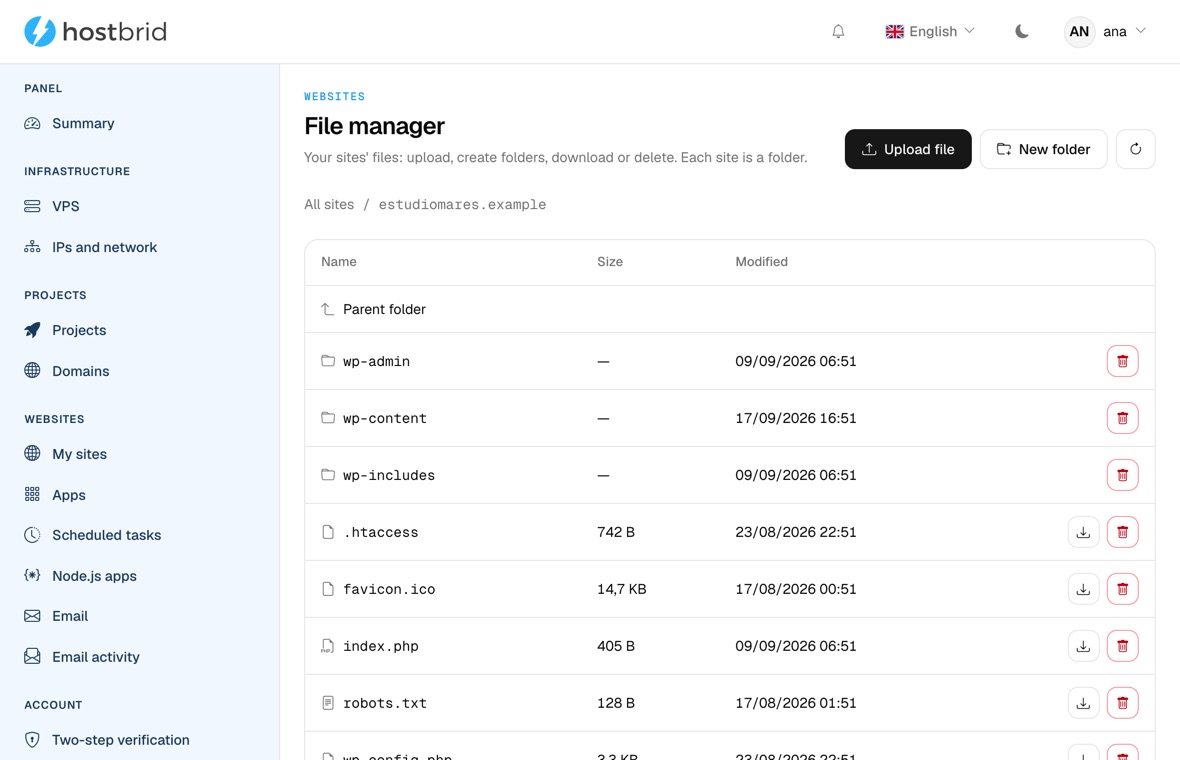
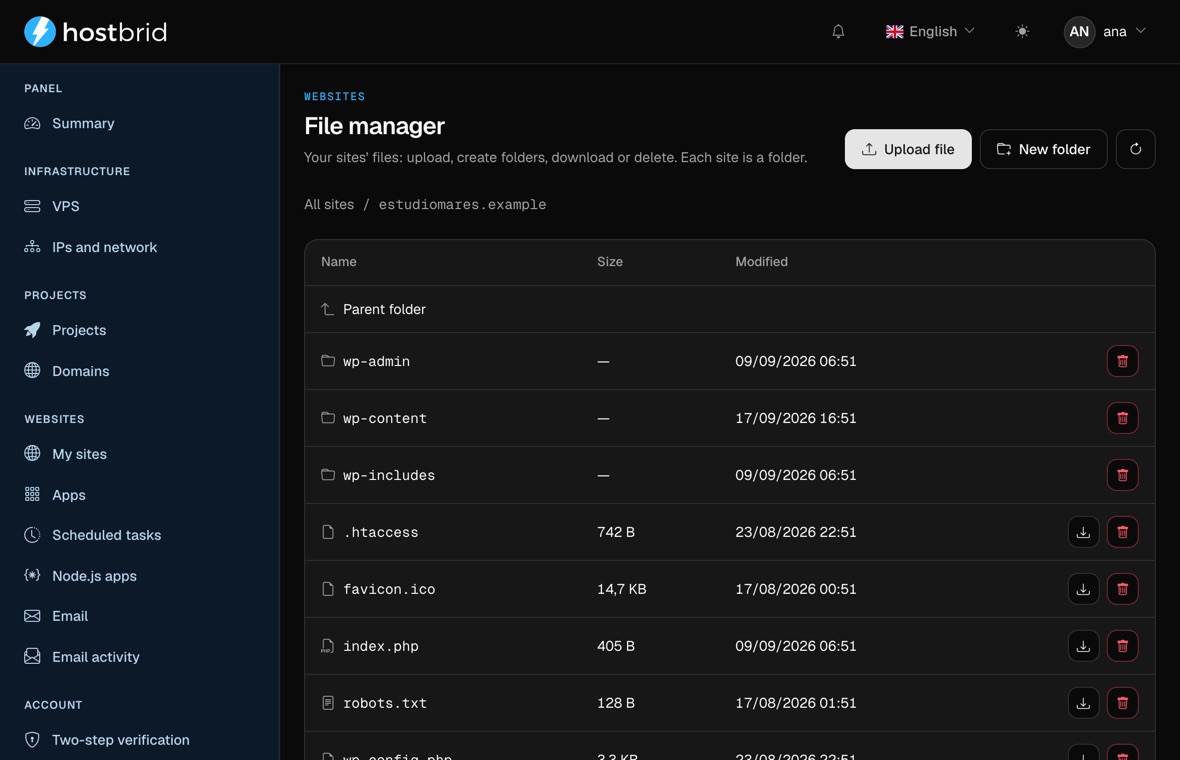
The file manager opens inside the site, with its path on top: upload, create folders, download and delete with no FTP client and no console.
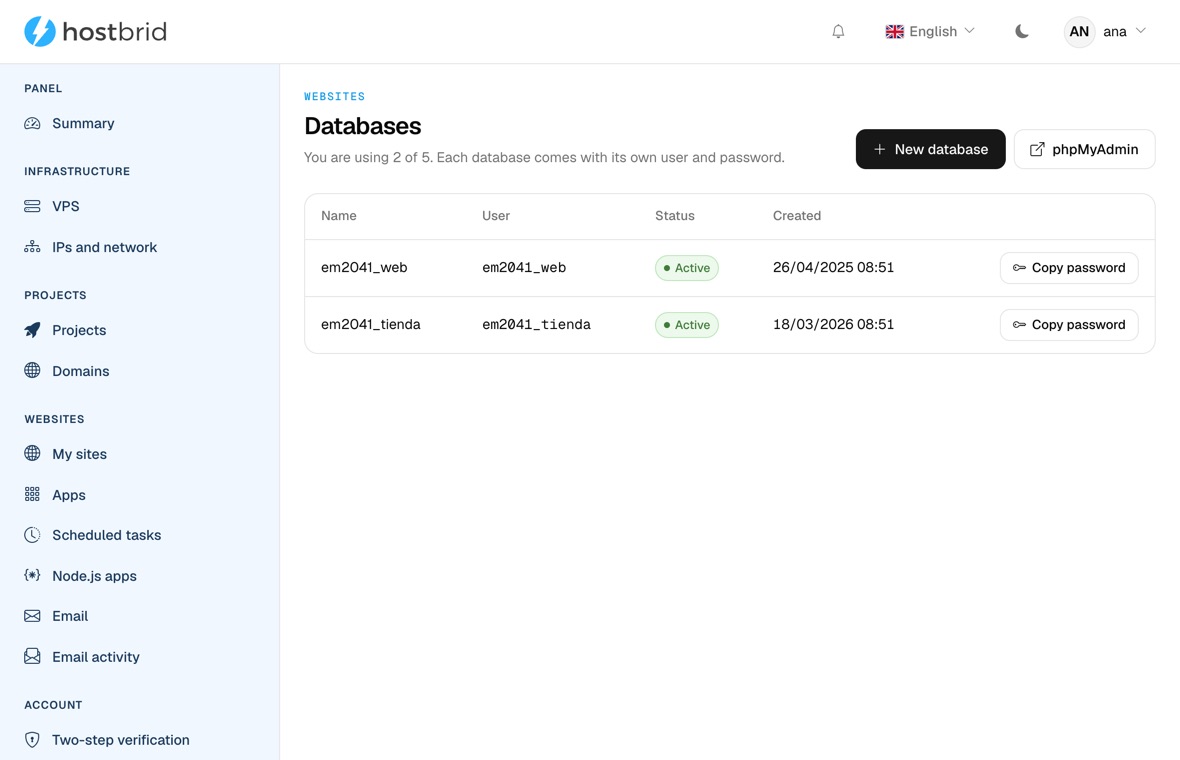
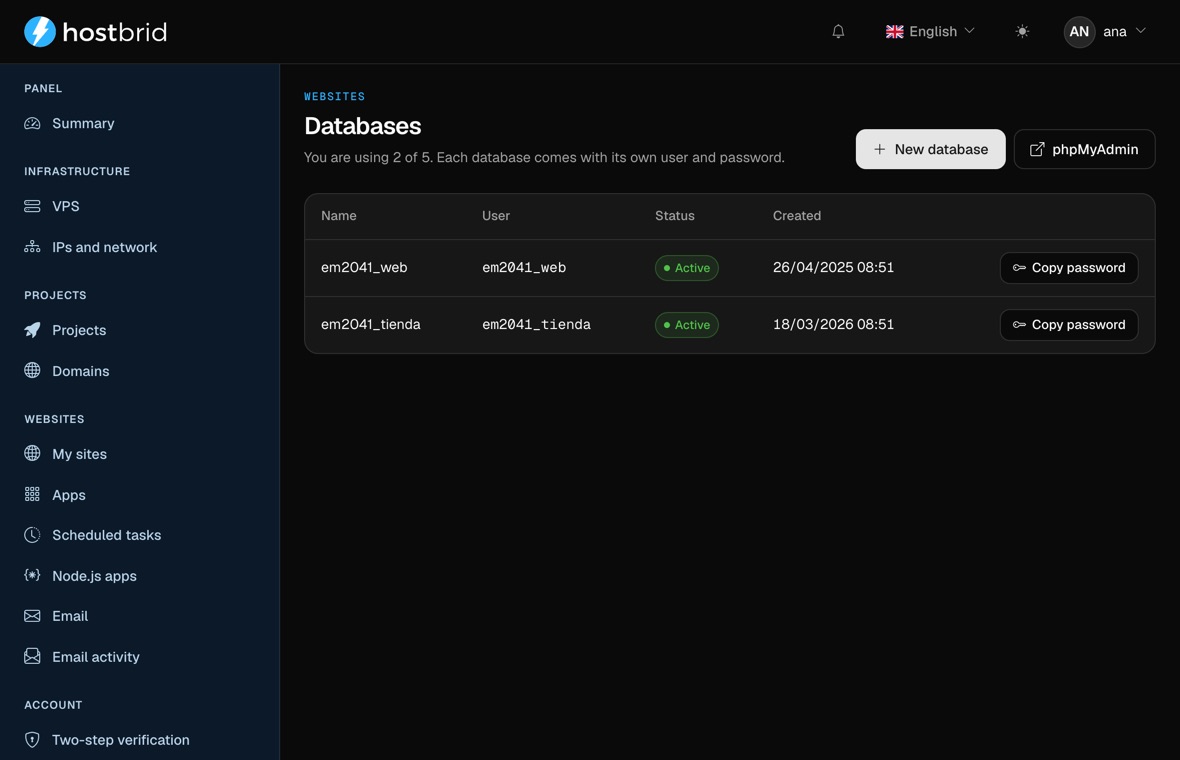
“You are using 2 of 5”: each of your sites’ databases with its own user. You copy the password from here and phpMyAdmin opens right next to it.
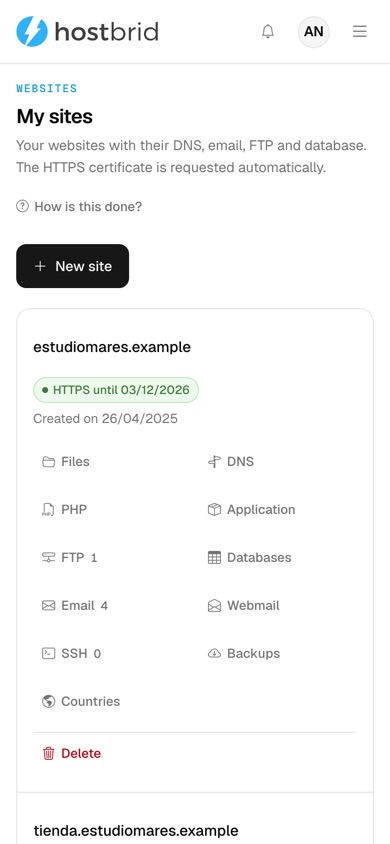
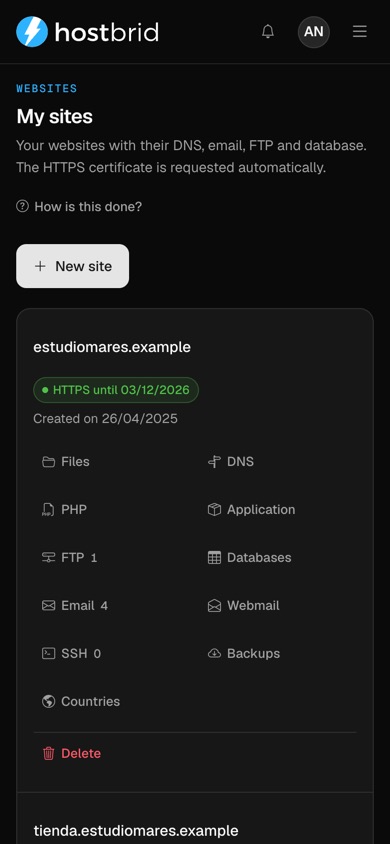
And on a phone it is not the same page shrunk: the list stacks and the shortcuts go in two columns.
Guides to publish your website
Choose your project type and check what it needs before you deploy.
AI website hosting: where to host an AI-built site
Choose hosting for an AI-built site; compare exportable projects with Wix and Framer, then check runtime, backend, limits and migration risks.
How to publish an AI-generated HTML website
Move plain HTML off localhost: prepare a Git repository, choose the output directory and test pages and CSS over HTTPS.
How to deploy React with Vite and fix refresh 404s
Deploy React from Git with npm ci, a Vite build, the dist output directory and browser routes tested on Hostbrid.
Deploy Astro from Git: Markdown and static routes
Deploy an Astro Markdown site with npm ci, build, dist and canonical URLs, using an original example verified on Hostbrid.
VPS vs shared hosting: which should you choose?
Compare root access, maintenance, backups and supported software before choosing managed Sites hosting or a VPS.
What do you want to do with MCP?
Managing your hosting and running your own MCP server are different services. Choose the route you need.
Hosting you can manage through MCP
Manage your sites, email, DNS and databases from an AI client. Publish compatible repositories through Projects while keeping your plan’s terms and quotas.
Explore this route
Certificate, backups and apps included
They are in the price of the plan: a Let’s Encrypt certificate, backups we take and keep for you, and applications compatible with Sites.
NVMe storage
All storage sits on NVMe, Starter included. The plan decides how much: 1 GB on Dev and 5, 20 or 50 GB on the paid plans.
- NVMe
- HTTP/2
- PHP 8.3
SSL without touching anything
The certificate is issued when the domain is set up and renews itself. Subdomains too.
- Let's Encrypt
- auto
One-click apps
Install applications compatible with Sites from the panel; browse the available catalogue.
- PHP
- Sites
- panel
Databases
MariaDB with phpMyAdmin, separate users per site and backups included in the plan.
- MariaDB
- phpMyAdmin
Backups
Weekly on Starter and daily from the Pro plan up. We take them and we keep them: to get something back you ask from Support, in the same panel, and we restore it.
- snapshot
- auto
Developer tooling
SSH access on Agency, cron jobs, HTTP redirects, staging environment and a file manager.
- SSH
- cron
- FTP
Keep your website, domain and visitors looked after
Start with what the site needs to do each day so the plan fits its actual use.
Show your work and receive enquiries
If this sounds familiar: You need pages, a domain and a contact form that delivers messages.
What you get: Sites hosts compatible websites; test forms from outside and confirm mail reaches the inbox.
Test a contact formRun WordPress or a compatible shop
If this sounds familiar: You want to manage pages and products in a CMS.
What you get: Check apps, databases, storage, backups and resources before moving the site.
Plan a migrationKeep email during a move
If this sounds familiar: Your domain already has mailboxes and messages you need.
What you get: Plan website, DNS and email separately; moving a website does not automatically move mail.
Keep the domain and emailHost client websites
If this sounds familiar: You manage several sites and need to compare a multi-site plan with reseller hosting.
What you get: Sites Agency supports up to 30 websites; check storage, databases and which reseller features are not included.
Compare agency website hostingRun a Node.js app
If this sounds familiar: Your app needs to run routes or an API, not just serve files.
What you get: Compare Sites, Projects and VPS by runtime, domain and how much server operation you want.
Compare Node.js hosting paths
We migrate your site at no cost
You give us access to your current provider and we handle the transfer. We flag the DNS change once the copy is already answering.
Talk to sales- We copy files, databases and mailboxes if you bring the mail across
- We stand up a test copy before touching DNS
- We sort the certificate so there is no gap
- The switch happens in whichever time slot you choose
Questions about Sites
How many sites can I host?
Can I deploy from Git instead of uploading files?
Can I use my current domain?
Which PHP versions are available?
What if I run out of storage?
How many email mailboxes does each plan include?
Start on the free Dev plan
3 sites on your .hostbrid.dev subdomain. We ask for a card to activate it, but nothing is charged.